Play numerous Unreal Engine games in Virtual Reality, such as with Meta Quest headsets.
This app takes Praydog’s brilliant (UEVR) magic module, but replaces the UI part with a user-friendly, new one.
It adds features not found in UEVR classic, like:
- an online profiles database
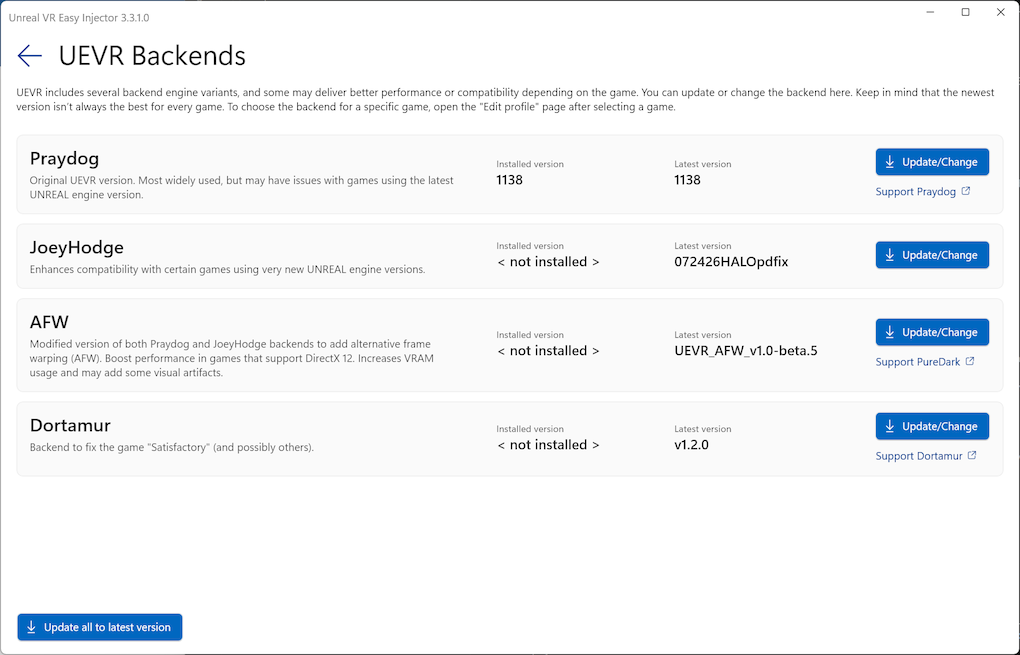
- A selection of alternative backends (e.g., JoeyHodge and PurDark/AFW, Dortamur), offering better compatibility and higher performance than UEVR Classic
- Automatic updates for UEVR backends
- voice commands
- A user friendly profiles editor
UEVR for the casual user, mass market compatible :smiley:
New to UEVR? Read this step by step beginners tutorial
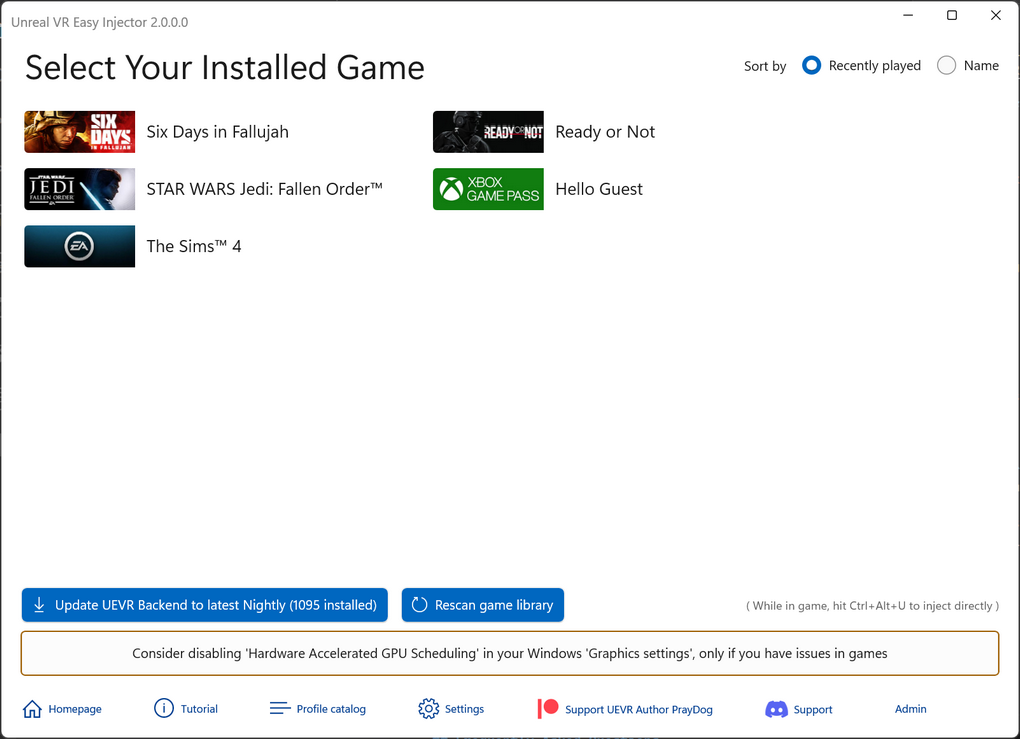
Integration with Steam, EPIC, XBox Gaming, EA Games and GOG
Guides you through the process, filters installed games that may be using Unreal Engine, and provides warnings for common issues that beginners face. One click update to latest UEVR nightly backend version.
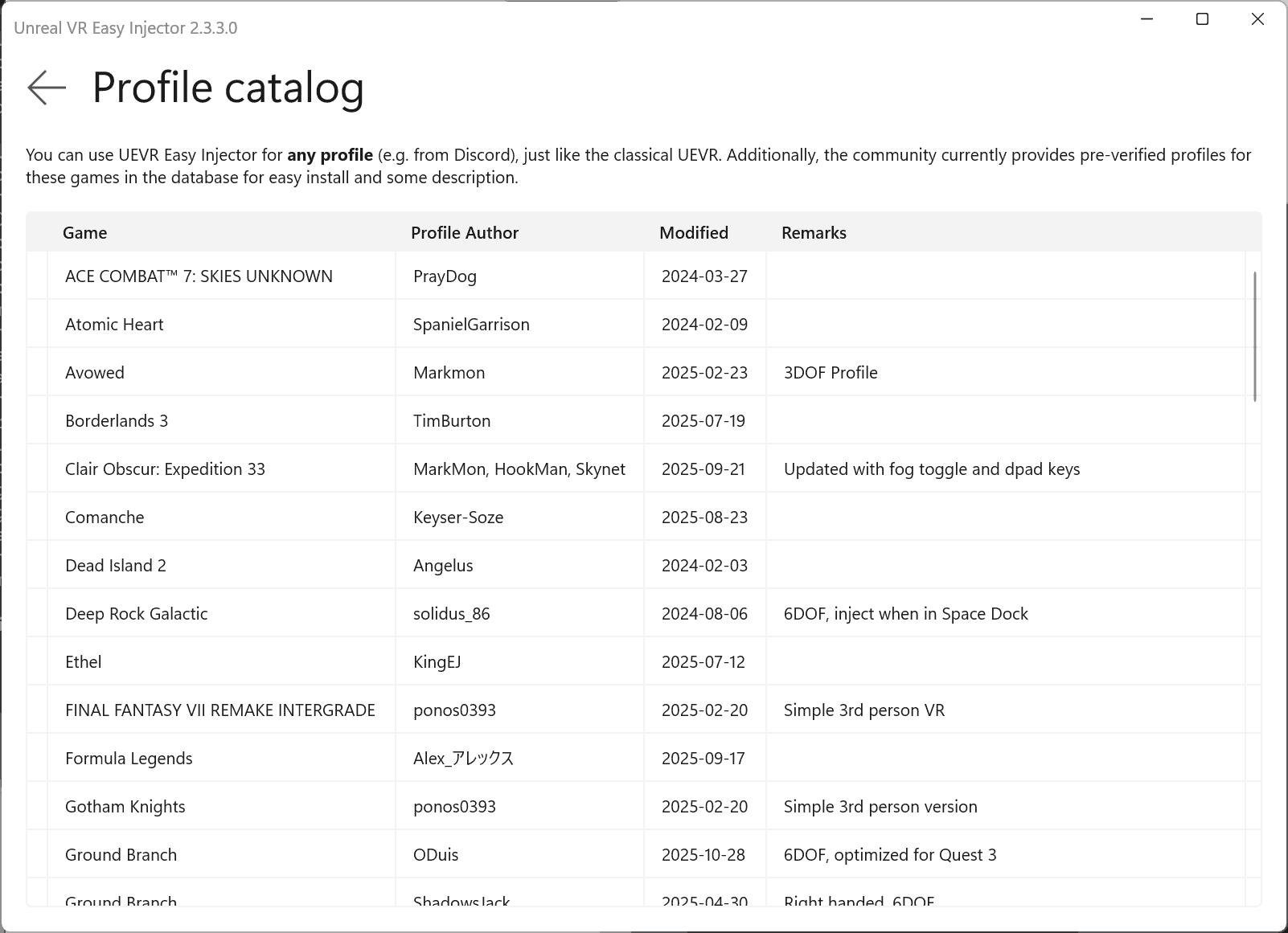
Online Profile Database
Containing many tested profiles from Discord and other sources, constantly updated. Simple one click installation.
Multiple UEVR Backends
Update and switch among them easily on a per games basis.
Easy Profile Editor
Includes the most commonly used options with descriptions to help you get started:
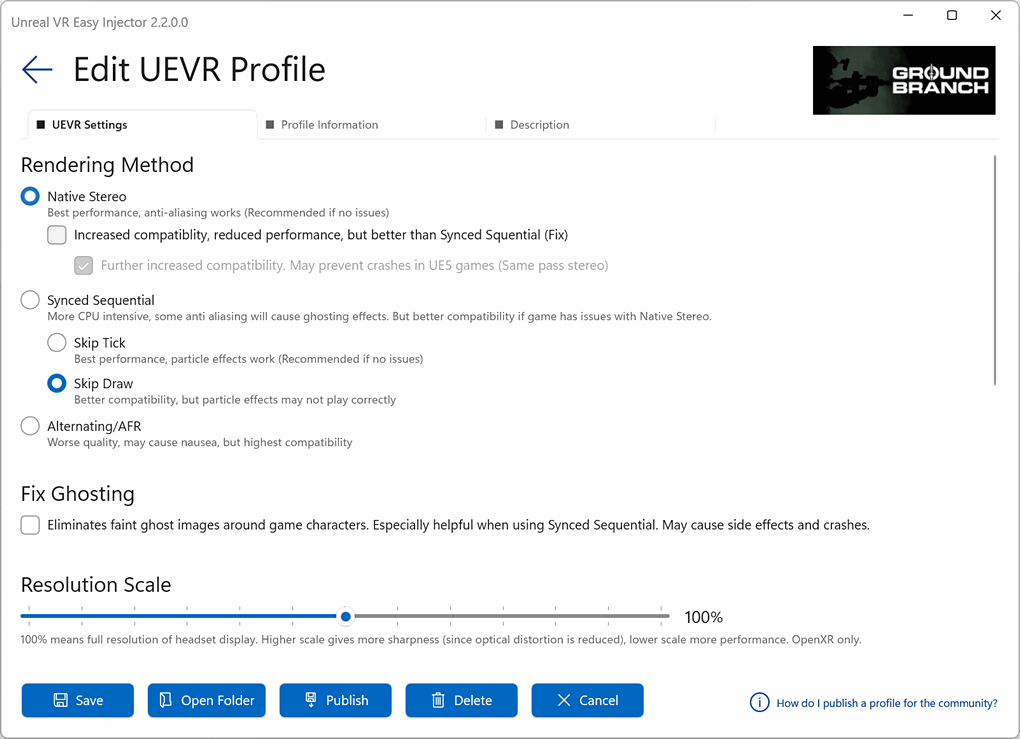
It also contains helpful options that are not found in the UI of UEVR classic.
Easy to find a Profile and start the Game, including XR Runtime Switcher
The new UEVR profile database includes documentation for each profile. No more searching on Discord or outdated profile websites (but you can still use them with UEVR Easy Injector, just like you would use them with UEVR Classic). Inject via hotkey while running your game, without needing to tab around with your headset on.
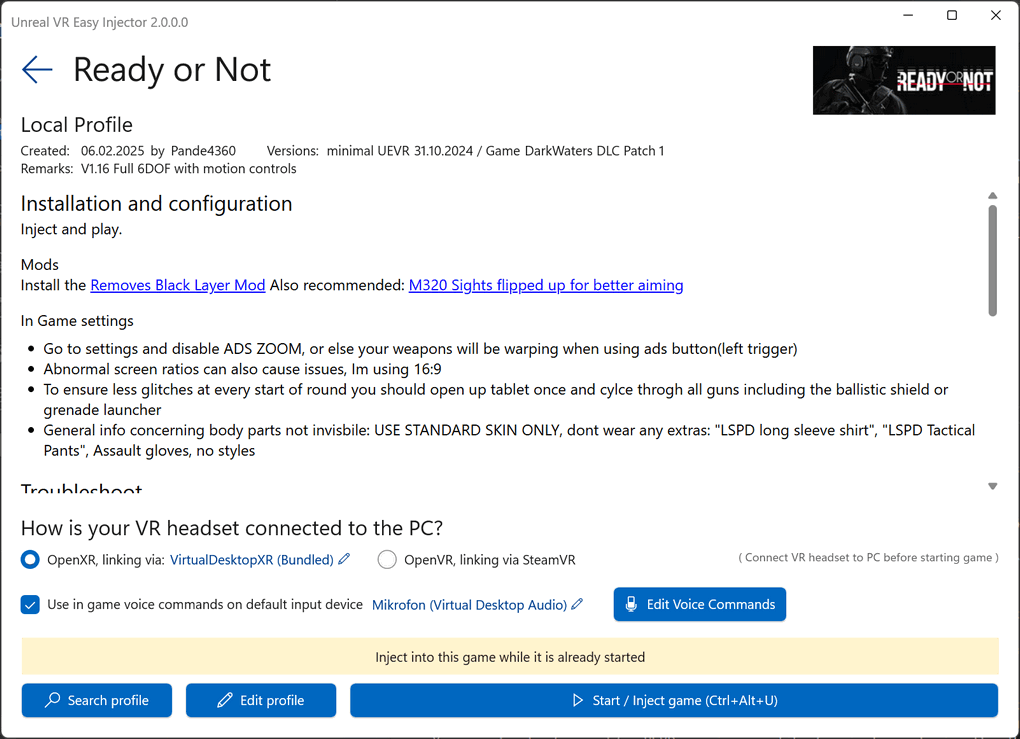
In-game Voice Commands
Configure easy to use voice commands per game. Little performance overhead on RAM/CPU:
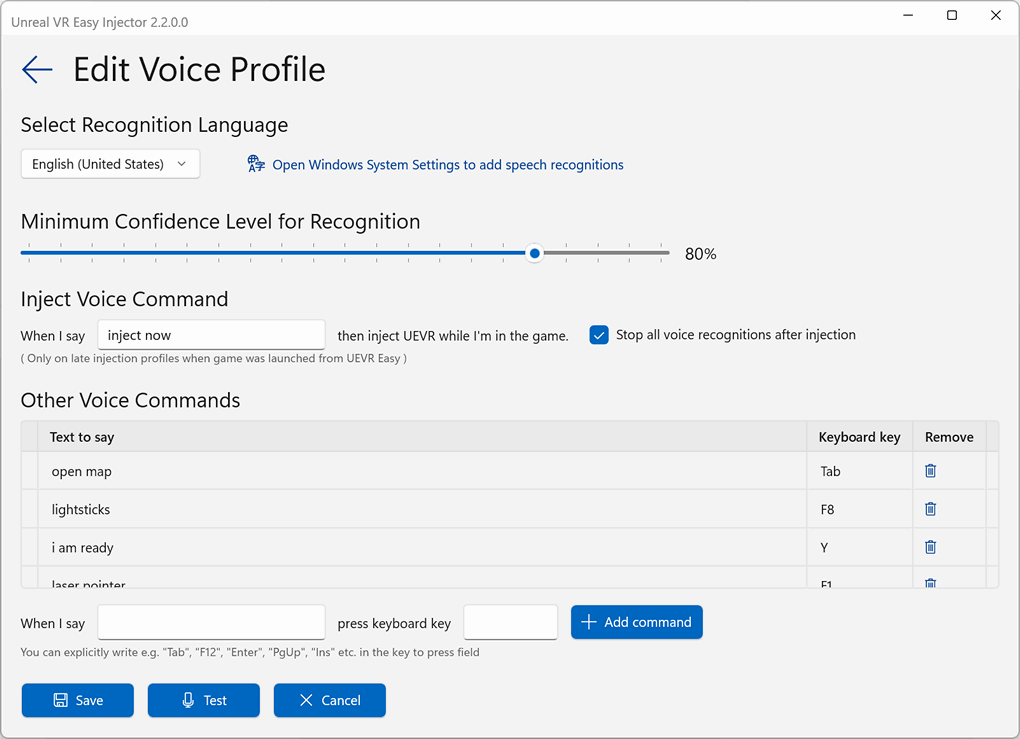
(do NOT run app as administrator for voice commands)
Frequently Asked Questions
Does it cost anything?
No, this is free (for non commercial use). However, you are encouraged to support the author of UEVR here: Praydog’s Patreon.
Do I need UEVR Injector Classic installed?
No, it is not necessary. However, it does no harm to have it installed in parallel, as long as it is not used on the same games.
Can I use game profiles not in the database (e.g. installed manually from Discord)?
Sure, just like with UEVR classic.
My Steam game is installed and based on Unreal Engine, but not showing up
Shut down Steam and Restart it. Then rescan in UEVR Easy Injector. Alternatively just reboot, start Steam, then UEVR Easy Injector.
I have a great profile. How to add it to the UEVR Easy Injector database?
Follow this guide
What UEVR version is it based on? Can I use another?
Currently the current nightly version that looks stable when published. But you can just click on Update button to download the latest nightly or older nightlies automatically. Start UEVR Easy as admin for this to work. JoeHodge and PureDark UEVR versions are also supported.